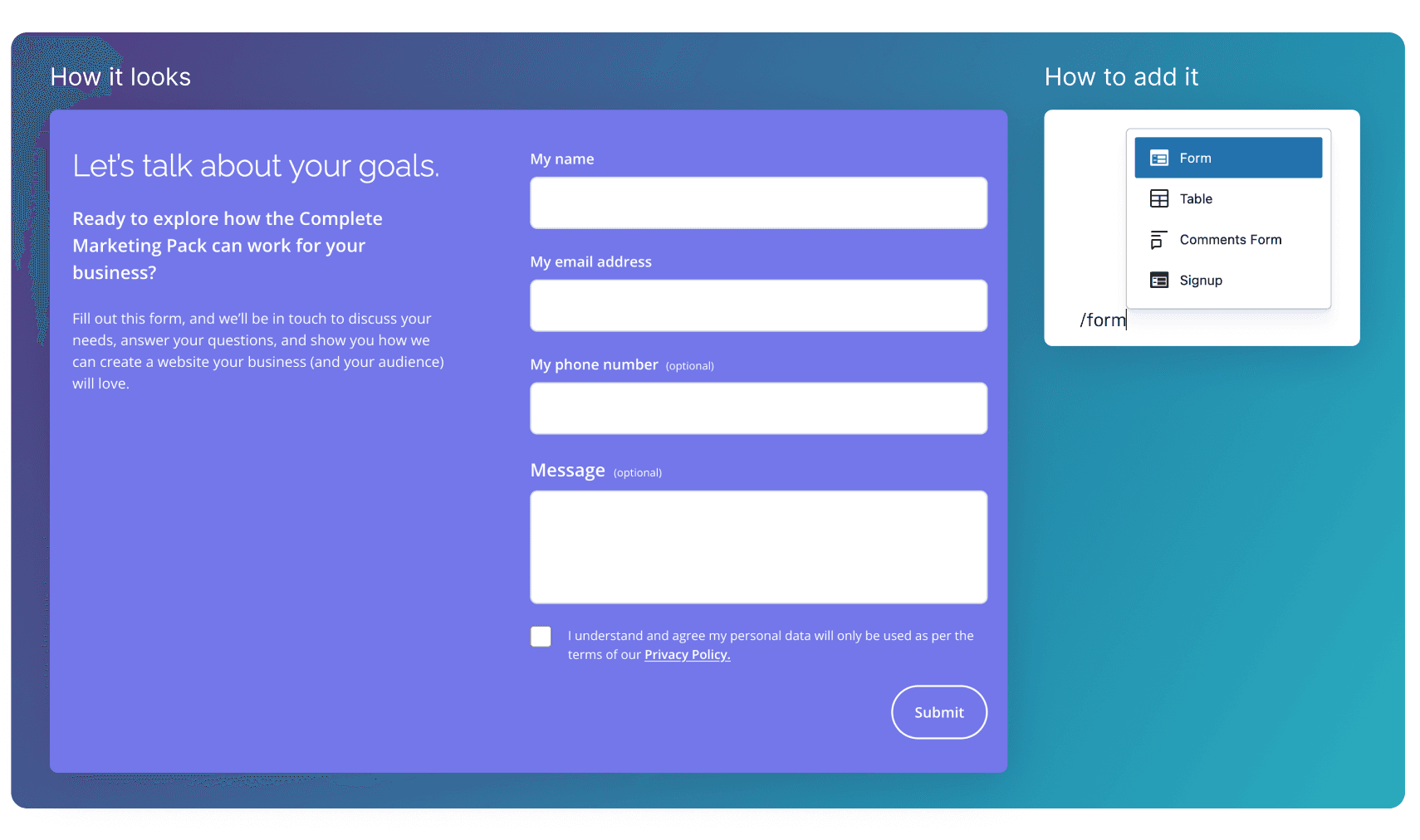
Form
Configure an inline contact form block with supporting text, button copy, success messaging, and recipient settings.
Overview
The Form block displays a full contact form block that collects key details like name, email, and message, with supporting text to set expectations. It’s used to capture enquiries, start conversations, and give users a clear way to get in touch.
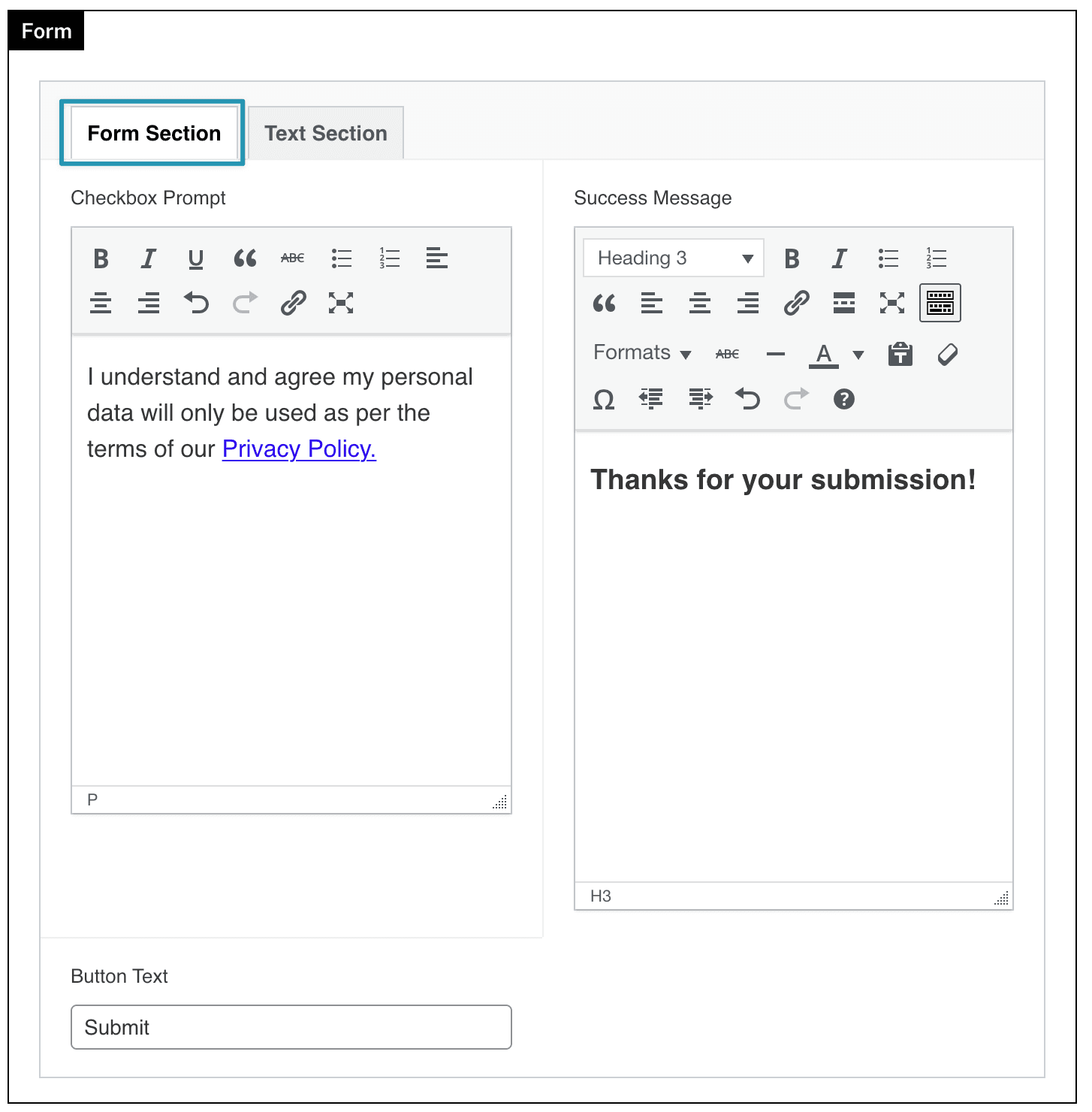
Form Section
Checkbox Prompt
Text shown next to the consent checkbox at the bottom of the form.
Used for privacy or legal confirmation and if it exists, itmust be checked before submission
Success Message
Defines the message displayed after the form has been successfully submitted.
Button Text
Sets the label shown on the form’s submit button.
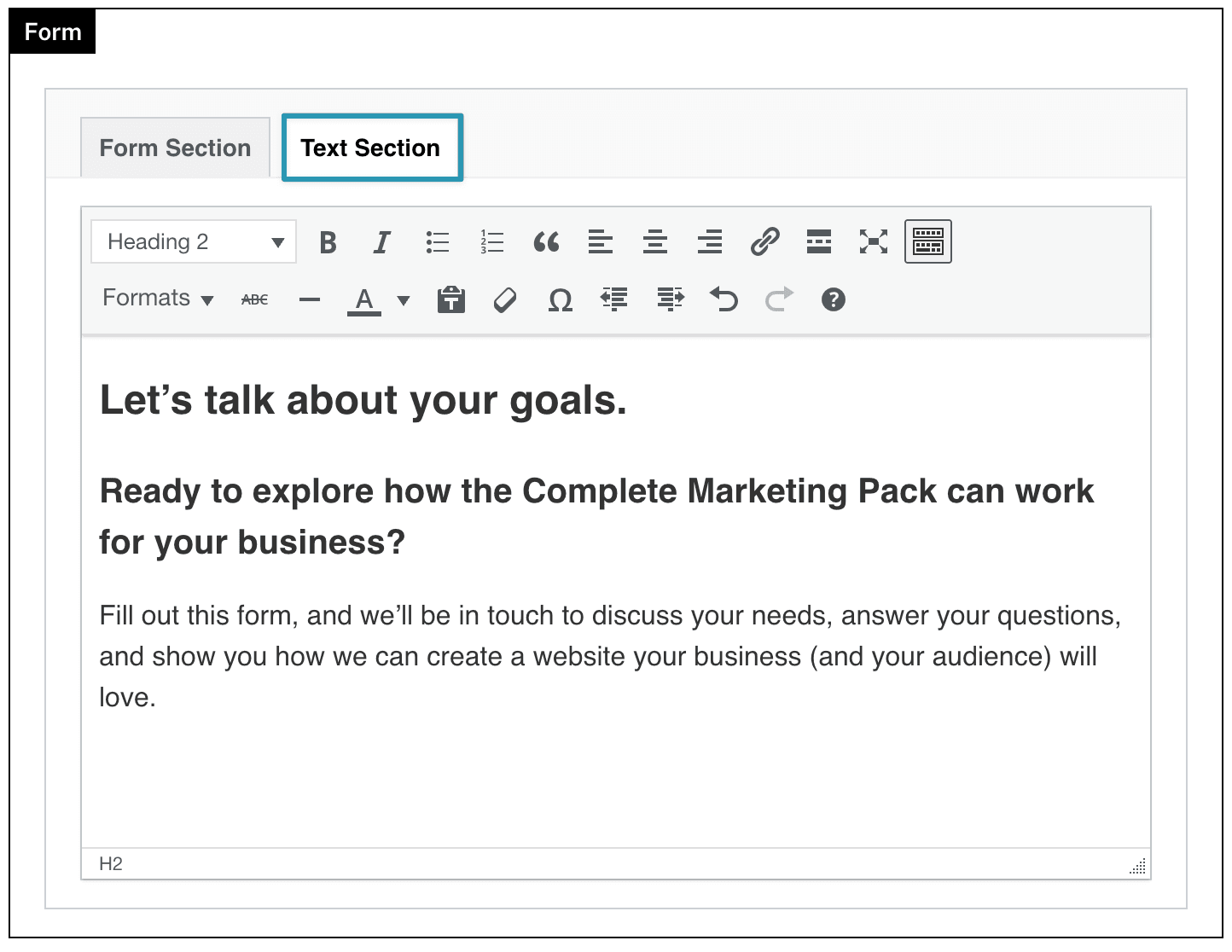
Text Section
A text section block used to add headings and supporting copy alongside the form. It’s used to introduce the form, explain its purpose, and set expectations before a user submits their details.
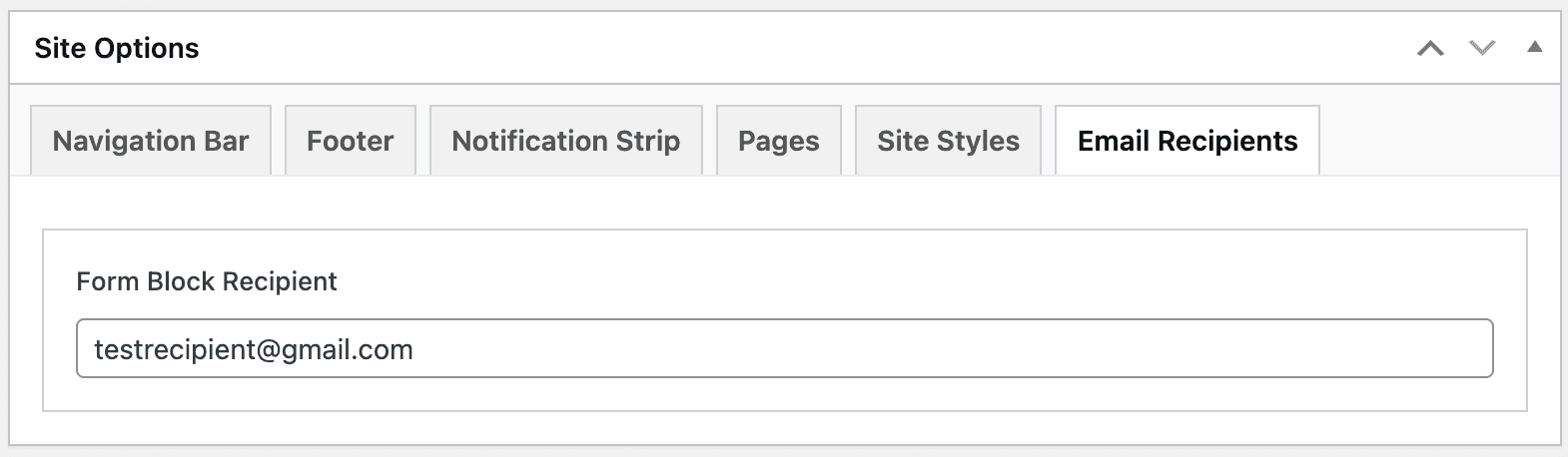
Setting the email receipt
The recipient for this Form block is set inside of:
Site Options ⇒ Email Recipients ⇒ Form Block Recipient