Feature Text + Icons
Pair a text introduction with a list of icon-supported features, benefits, or highlights.
Overview
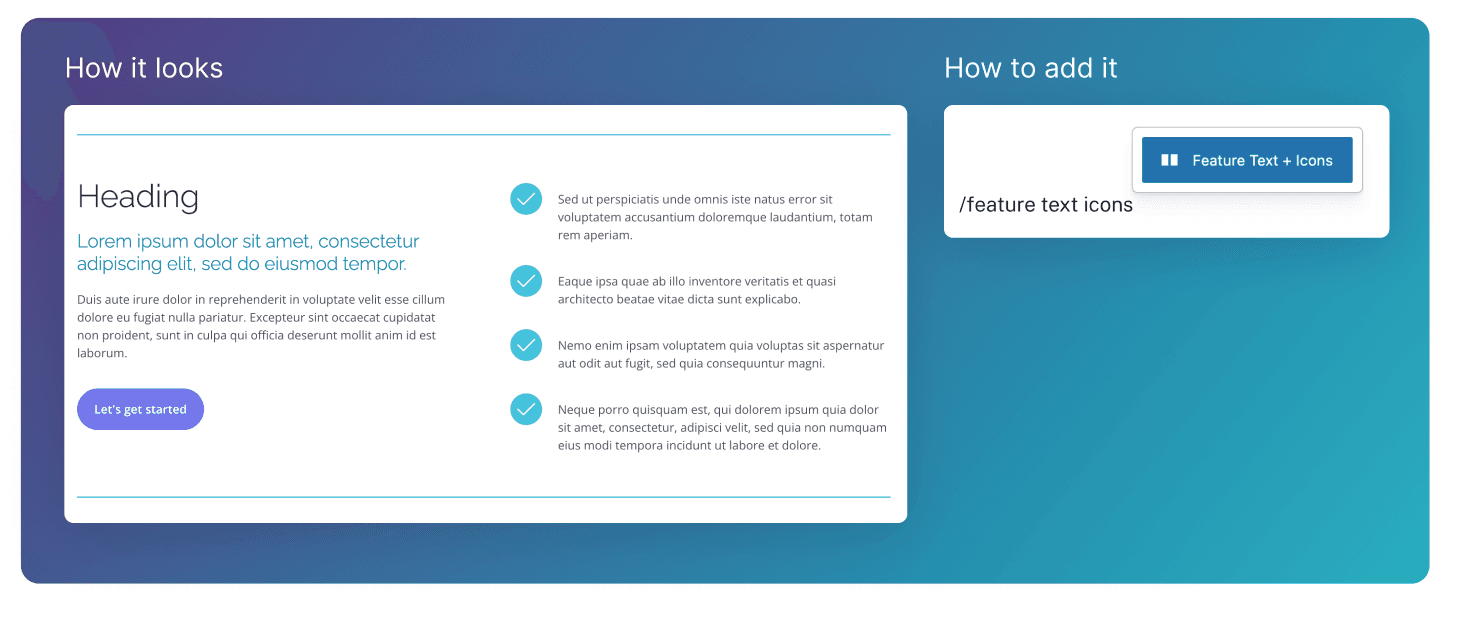
The Feature Text + Icons block displays a split-layout content block that pairs an intro heading and call-to-action with a checklist of key benefits or features. It’s used to clearly explain value propositions and guide users toward taking action without overwhelming them.
Text Section
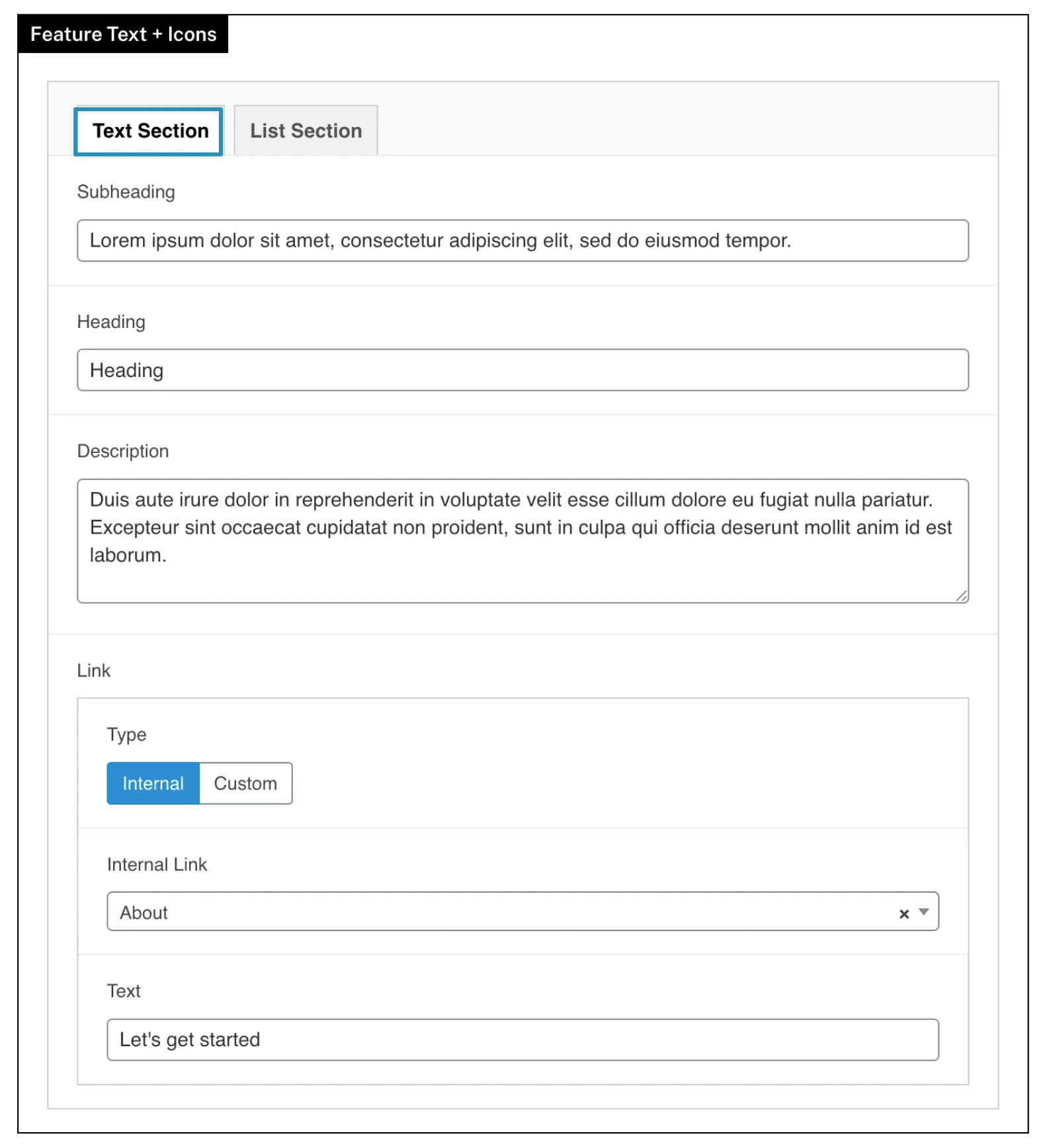
Used to define the main message for this block.
Heading: the main title for the block**.**
Subheading: optional introductory text shown below the main heading.
Description: supporting paragraph text displayed below the heading.
Link: optional call-to-action link shown beneath the text content.
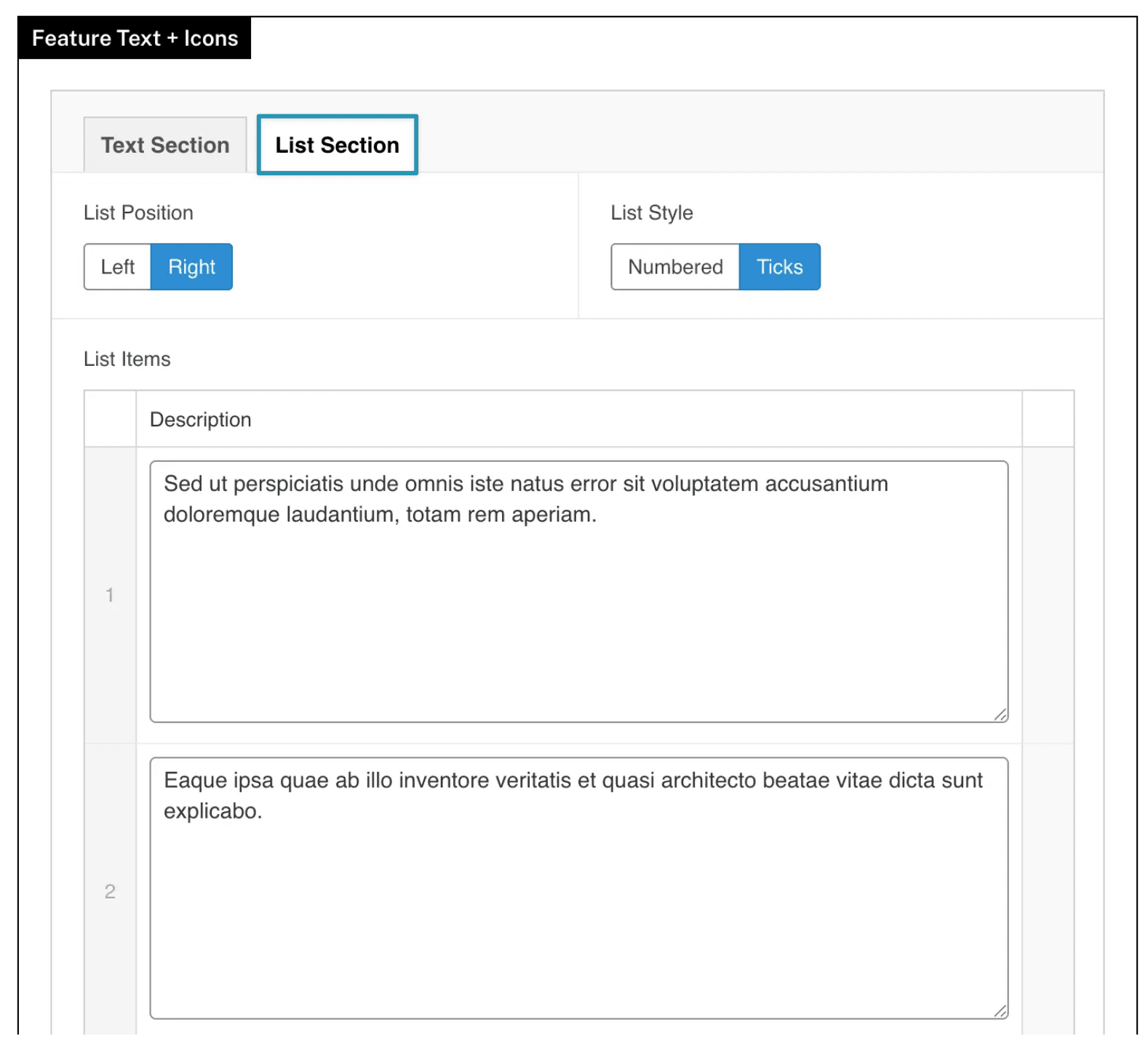
List Section
This sets the content for the other side, where a short list of key points are made to support the main text.
List Style
Choose between displaying Numbers or Ticks next to each list item.
List Position
Choose which side the list section should display.