Comparison Table
Present options, features, or services side by side in a structured comparison layout.
Overview
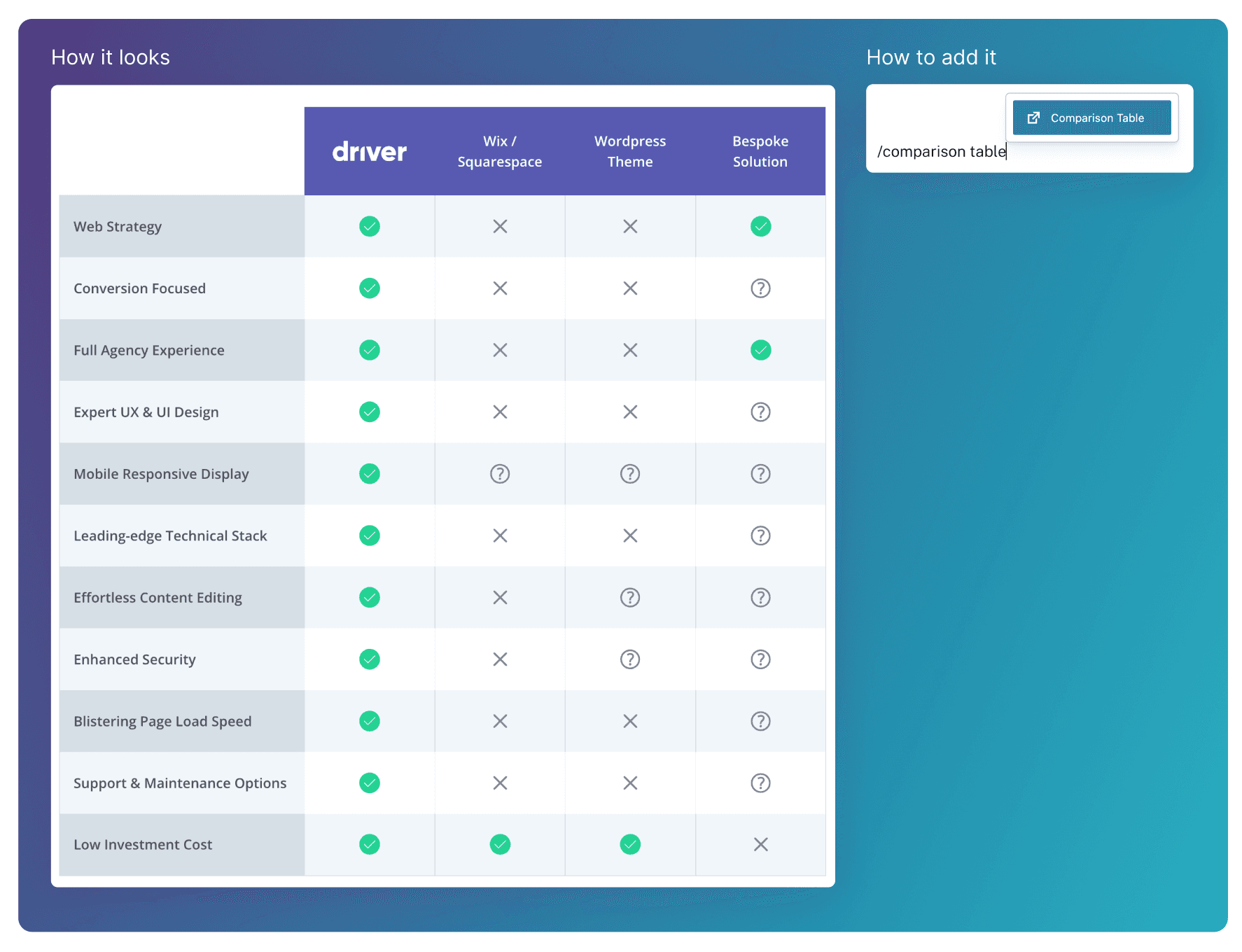
The Comparison Table block presents multiple options side by side, with rows highlighting key features, capabilities, or trade-offs. It’s used to help users quickly understand differences, clarify value, and make informed decisions without requiring them to read long explanations.
Adding Content
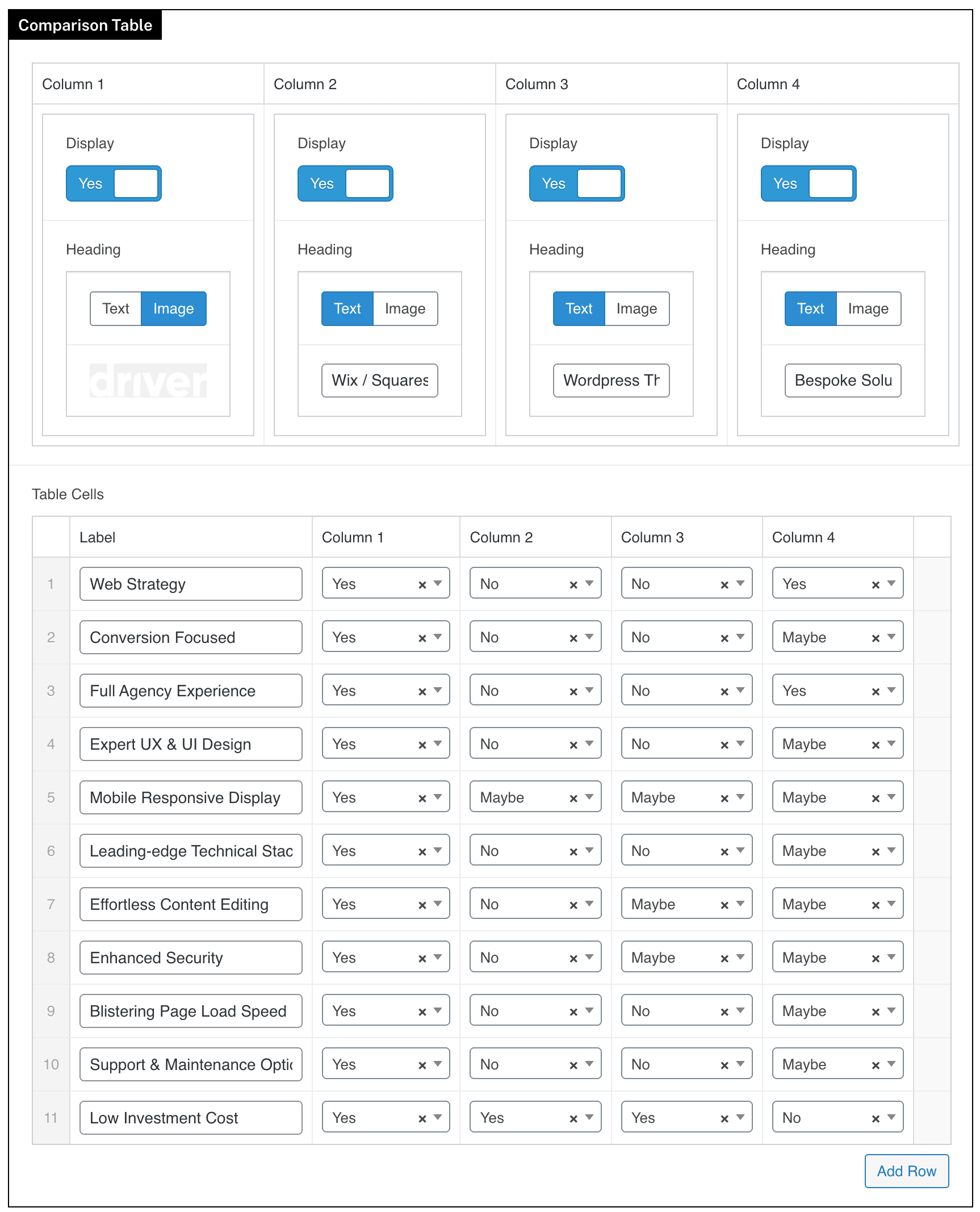
The Comparison Table has a maximum of 4 columns (not including the label column on the far left). Each of these is added by setting the corresponding columns Display toggle to Yes.
A Heading then needs to be added to each column. This can be text or an image (see column 1).
Once each column is defined, add a row for each comparison feature inside of Table Cells. Each column can then be set to Yes, No or Maybe for each feature.