Search
Configure a search page that helps visitors find content across the website.
Overview
The Search template allows users to find content across the site by entering keywords or filtering by content type. When no search query is entered, the page displays a set of content cards to help users begin exploring the site. Once a search is performed, the page updates to display a list of matching results with titles, excerpts, and links to the relevant posts.
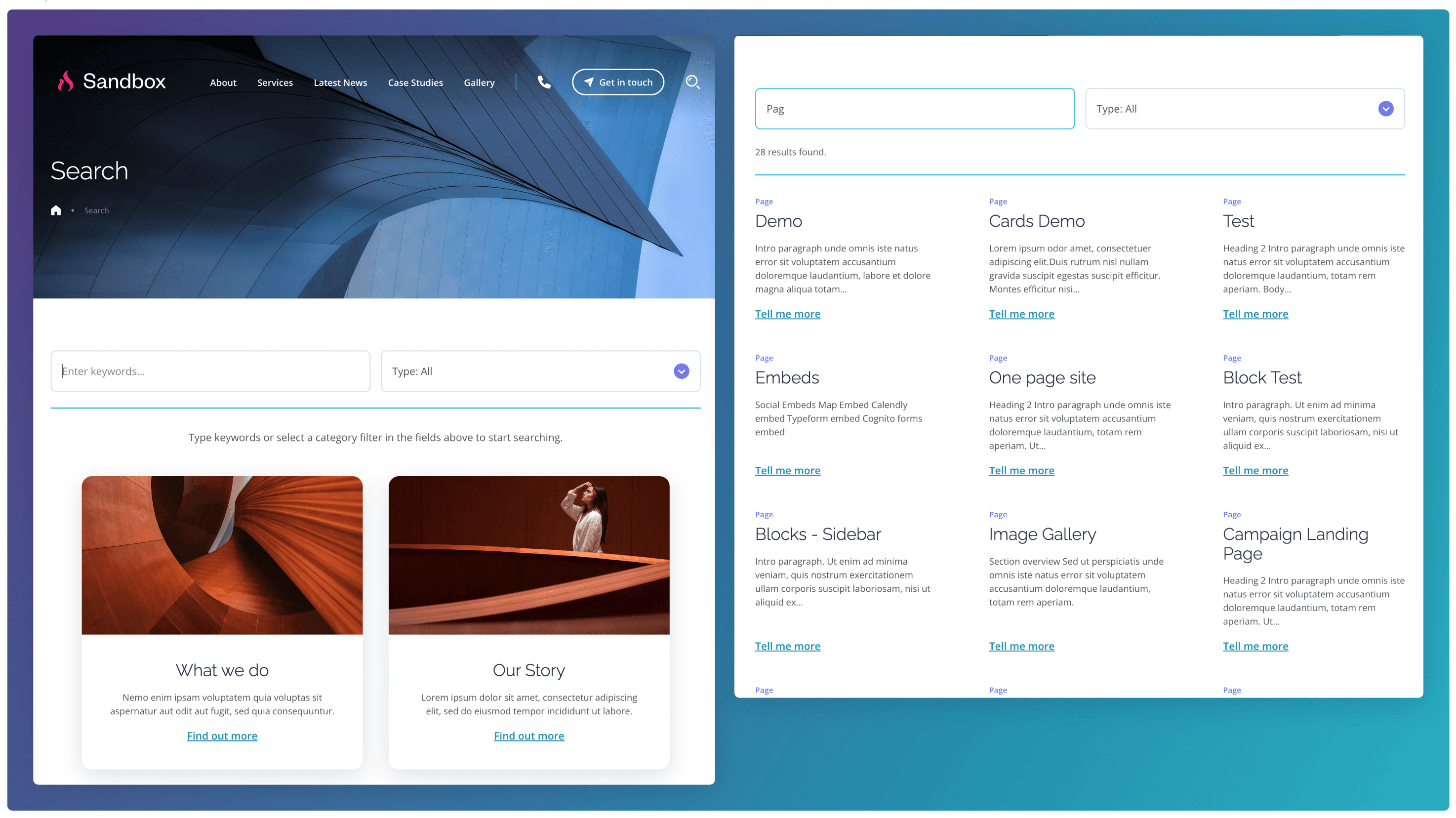
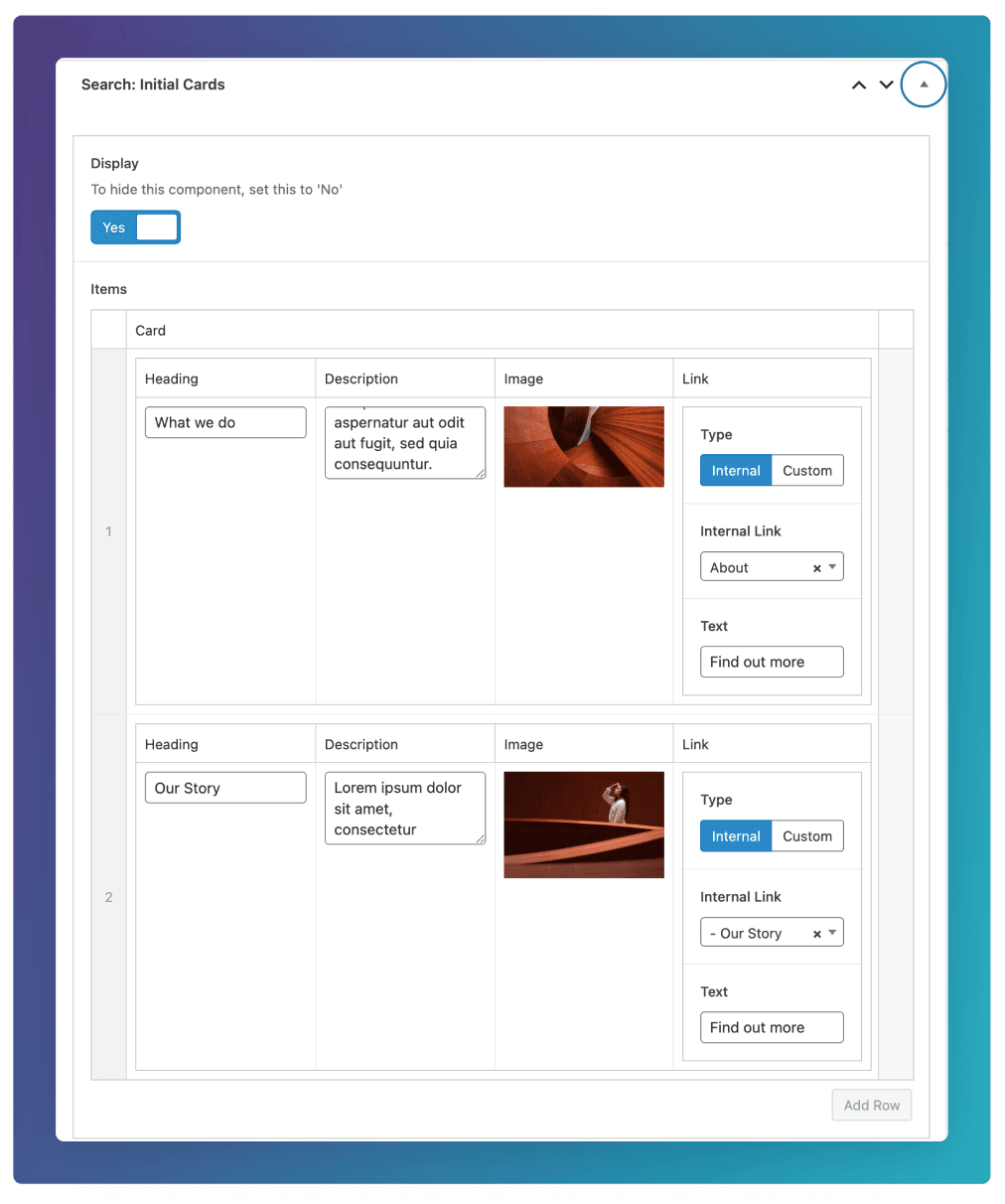
Initial Cards
The Initial Cards shown before a query has begun can be configured by going to the Search: Initial Cards field group at the bottom of the edit screen.
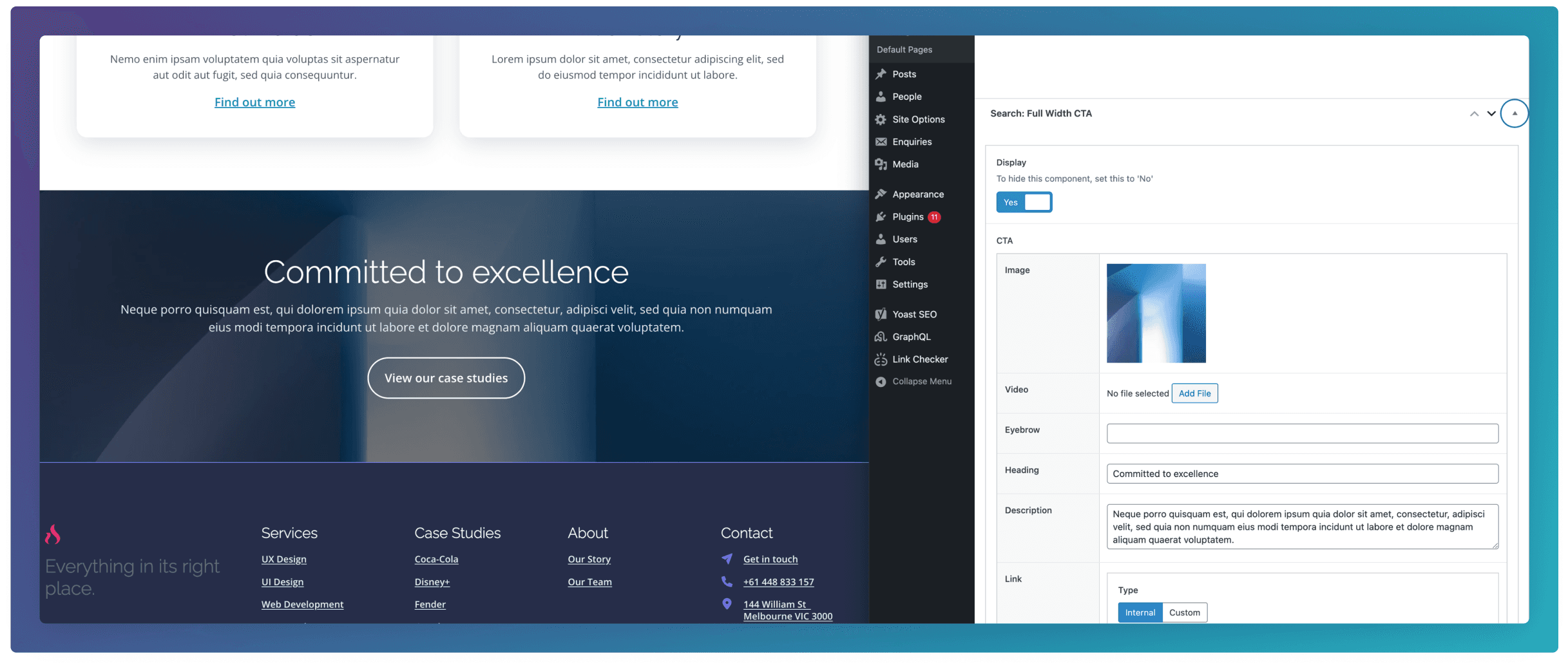
Full Width CTA
An optional CTA can be added at the bottom of this template by configuring the Search: Full Width CTA field group at the bottom of the edit screen.