Blog Index
Set up a blog index page that lists posts, categories, and featured article content.
Overview
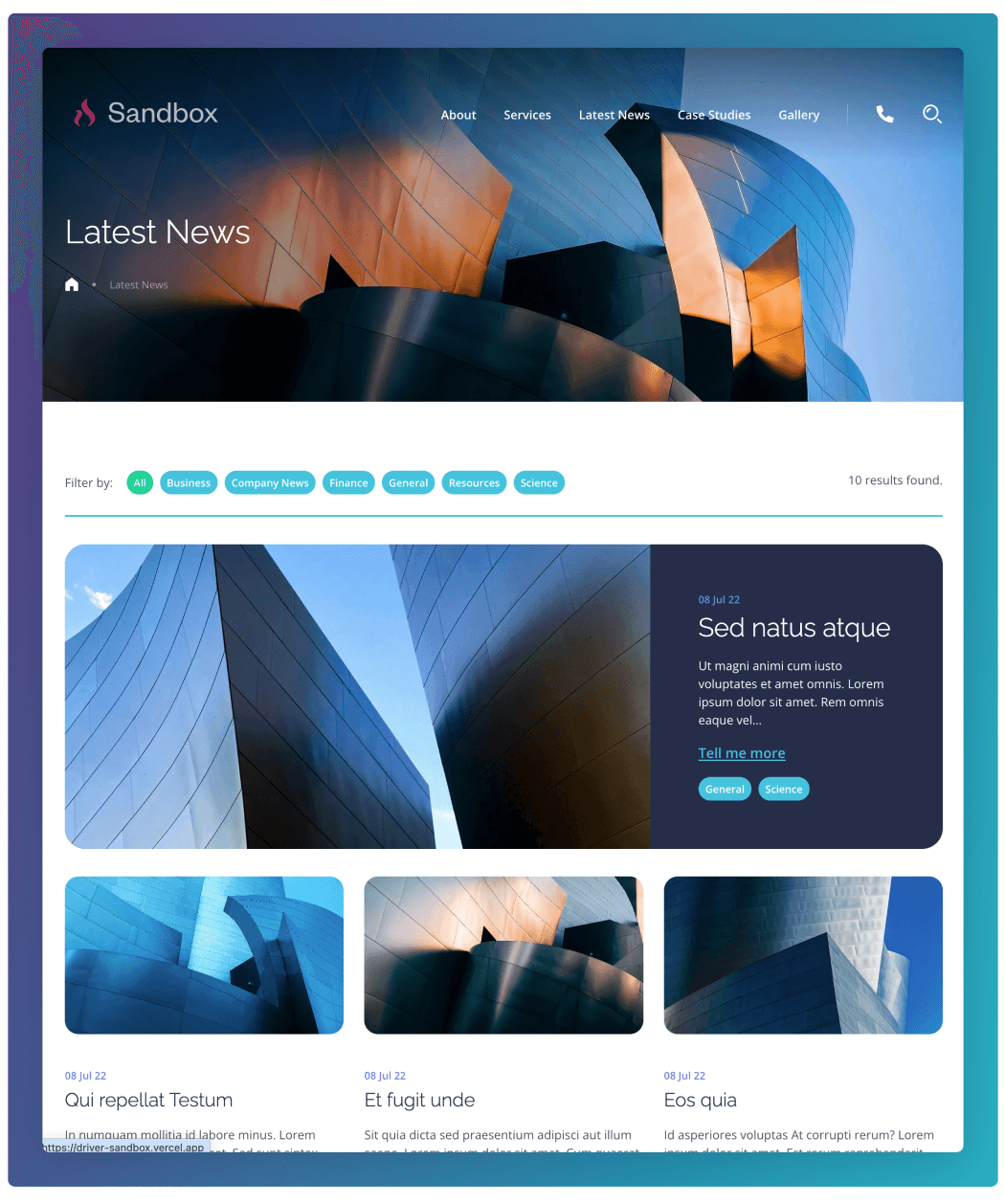
The Blog Index template displays a list of articles published on the site in a structured, easy-to-browse layout. Content is automatically pulled in from the Posts** section in the CMS and presented with featured images, titles, summaries, and categories. Users can browse recent articles and filter content by Category to quickly find posts that are relevant to them.
Categories
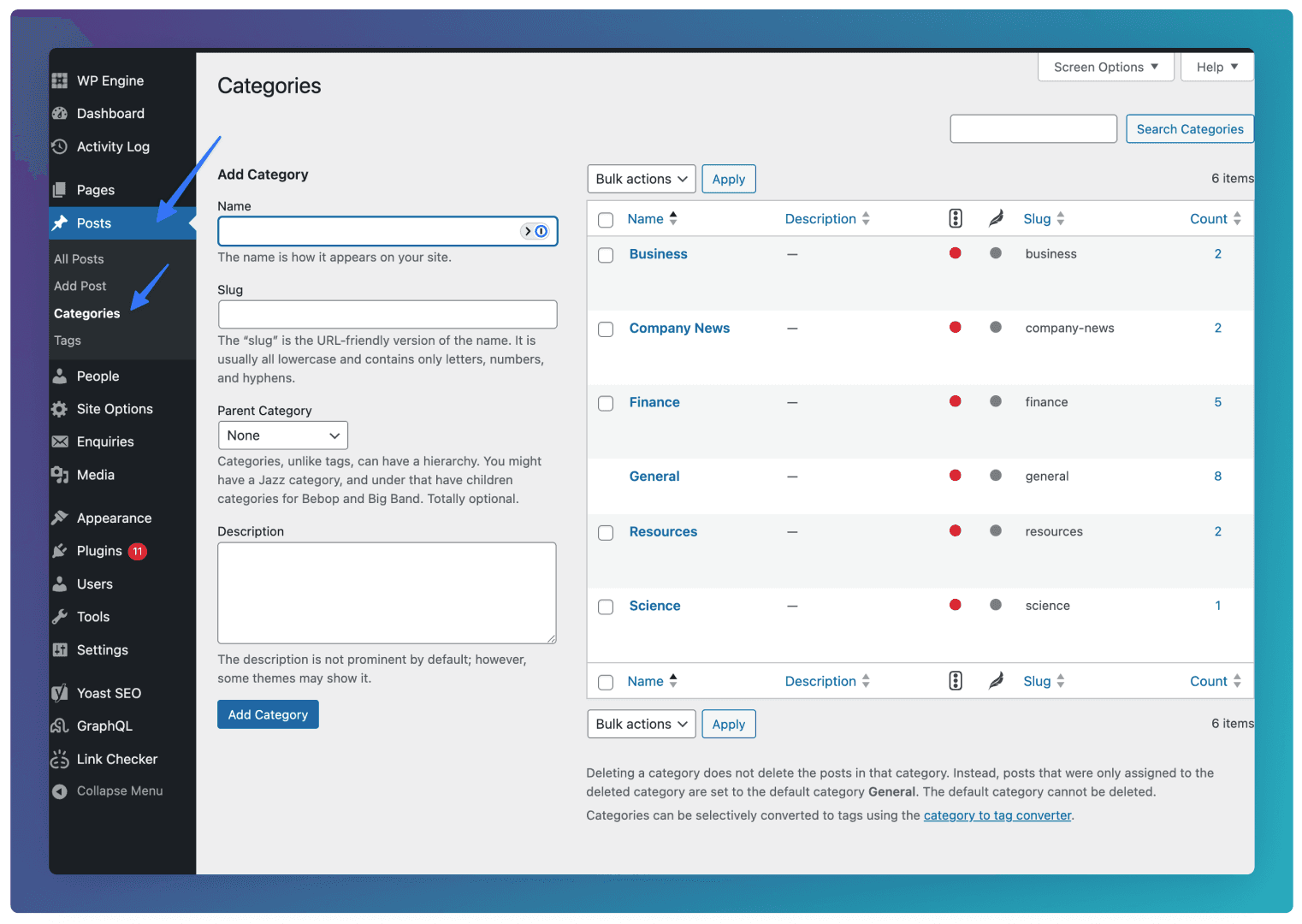
You can add Categories by going to Posts ⇒ Categories in the CMS. When adding a Category, leave the Parent Category as “None”.
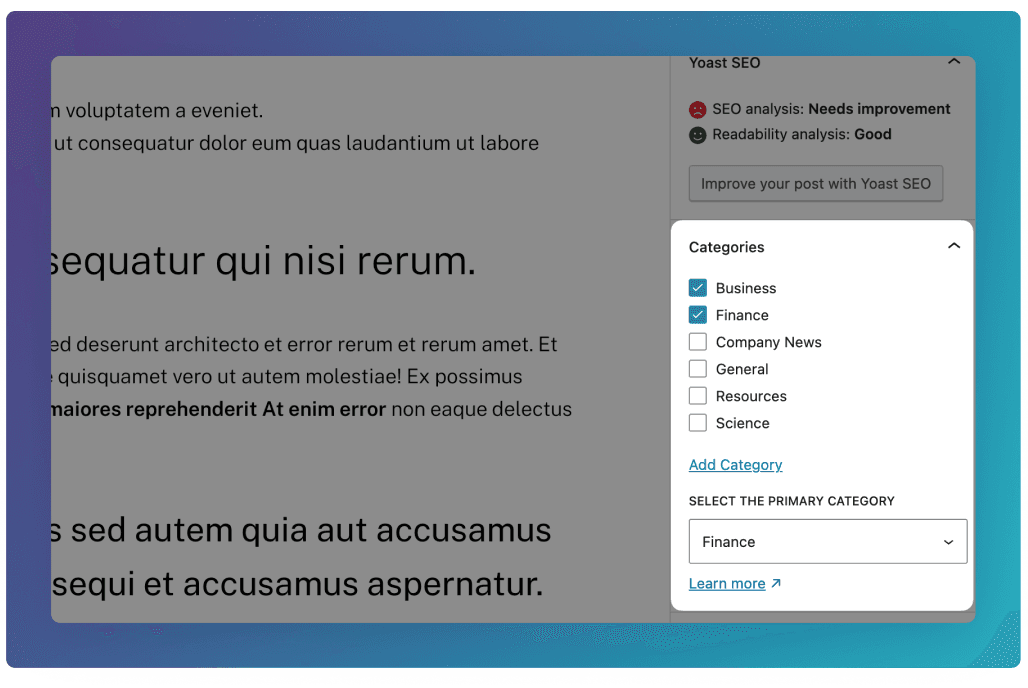
See below for how to add Categories to individual posts.
Featured Post
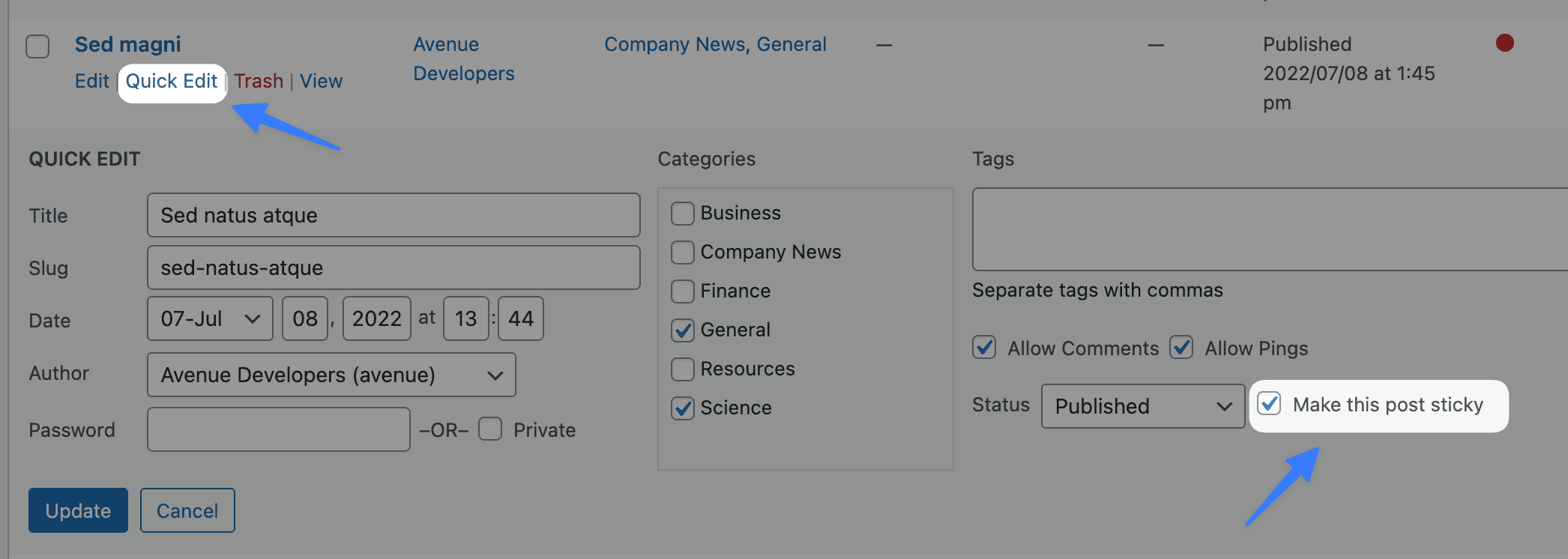
The Featured Post displays as a larger card at the top of the results on initial load. By default this will be the latest published post, but you can also choose a specific post to display. To do this, go to the Posts section, and click Quick Edit and Make this post sticky for the post you would like to highlight.