Masthead
Control masthead content and hero presentation, including page titles, imagery, and introductory messaging.
Overview
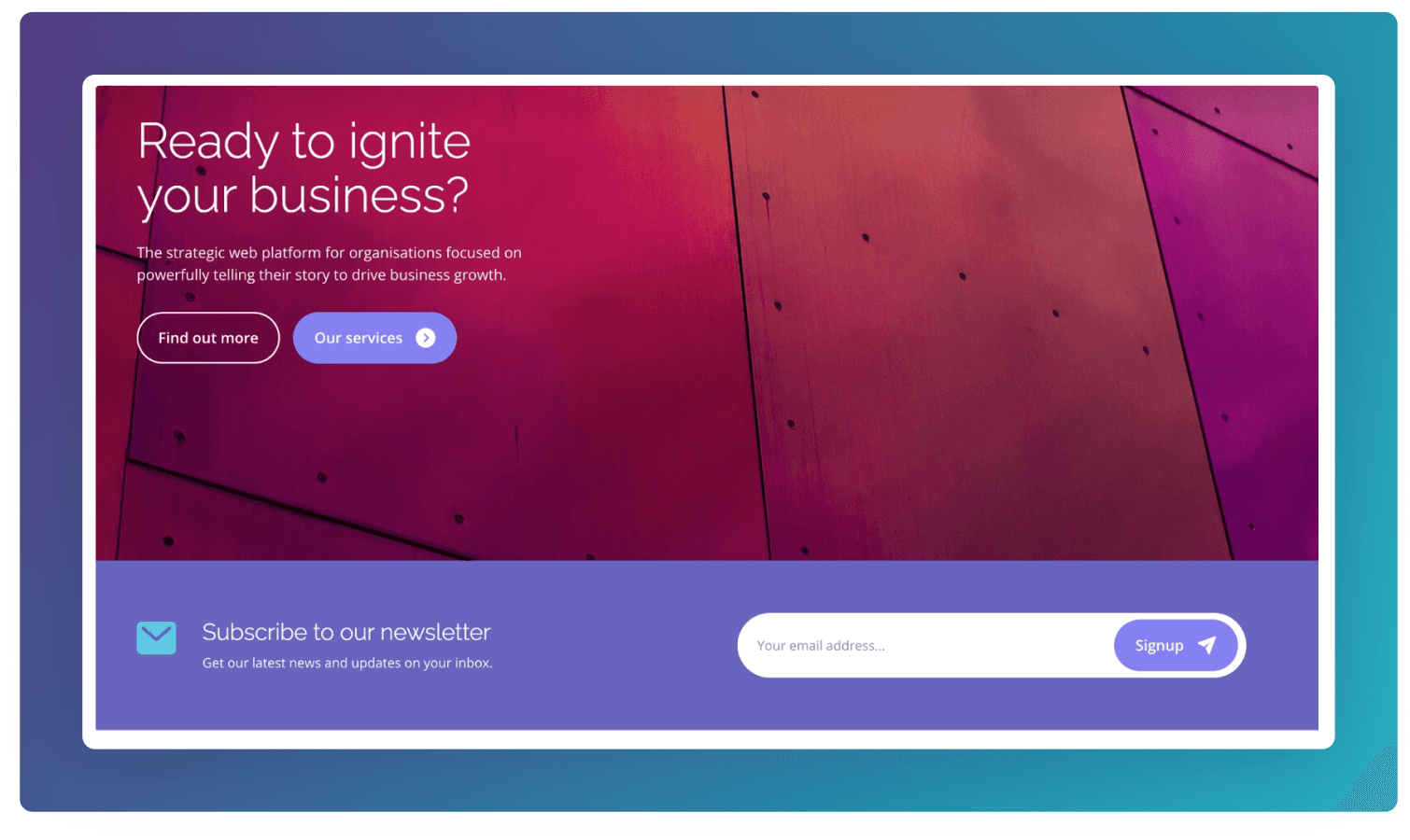
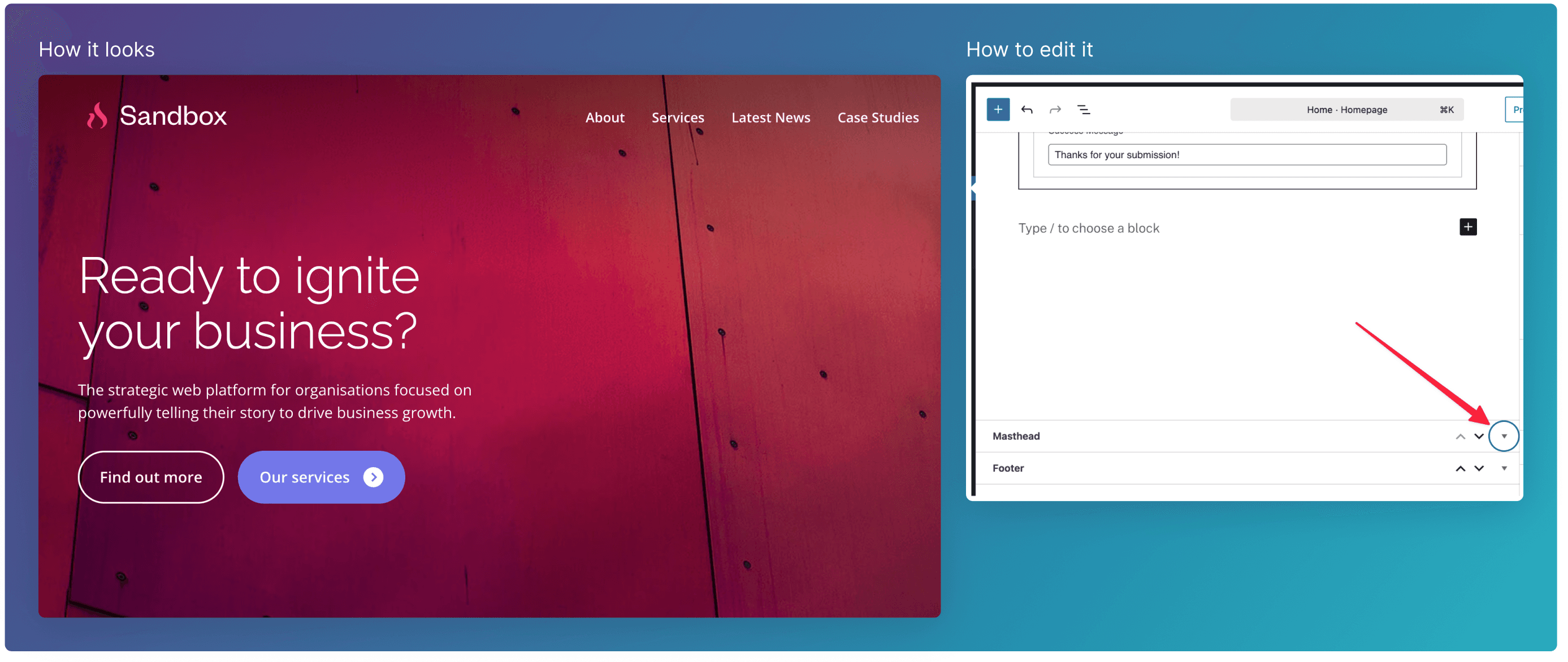
The Masthead component is a full-width hero section designed to introduce the page with strong visual impact and clear messaging. It combines a prominent headline, supporting paragraph text, and primary/secondary call-to-action buttons over a large background image.
To edit the Masthead scroll to the bottom of the edit screen, and expand the Masthead field.
Heading: Page Title vs Custom Override
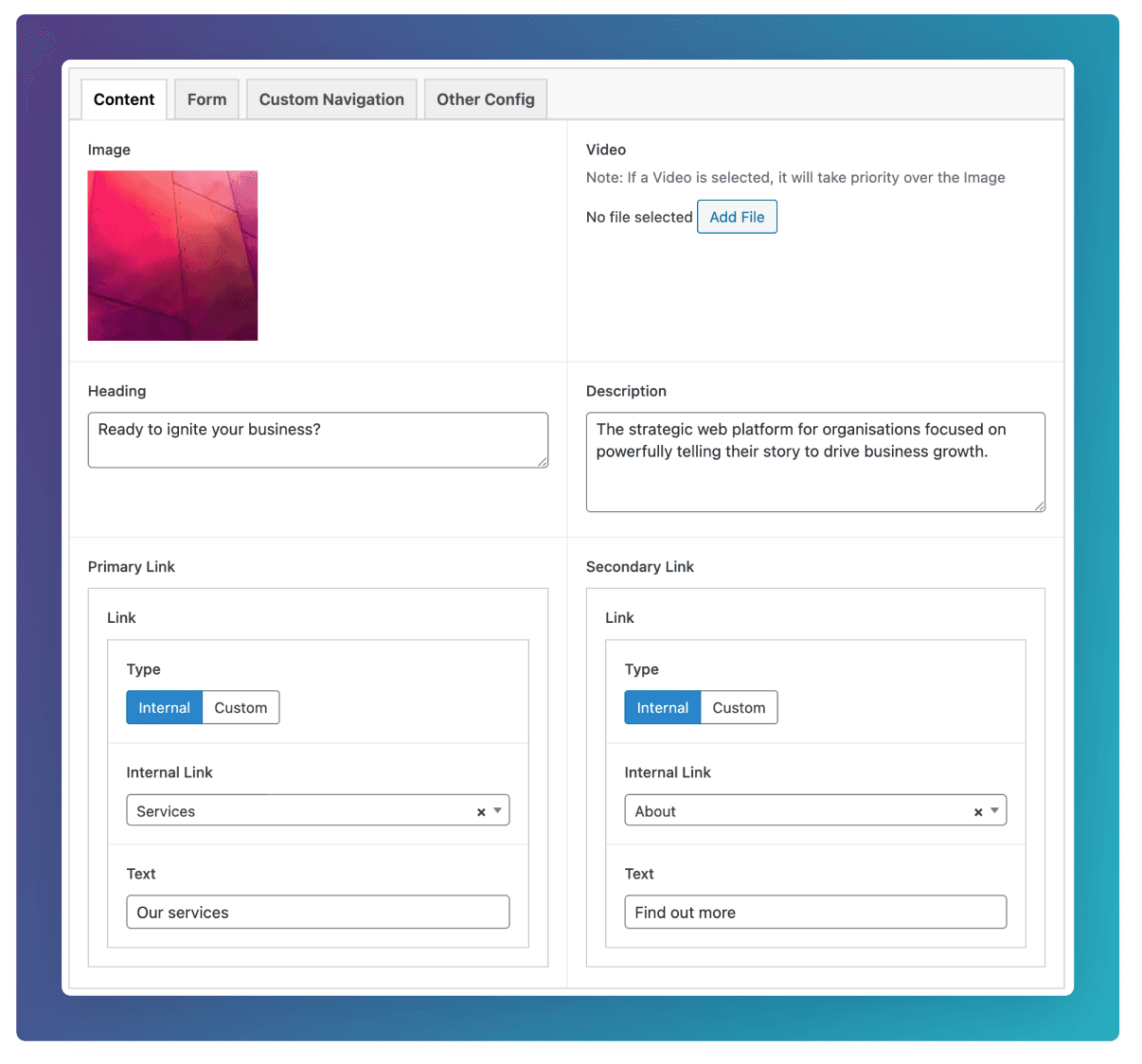
By default, the masthead will use the Post Title as it’s heading. If you’d like to override this title, use the Heading text field in the Content tab (see below).
A common use case for this override would be to use the default Page Title when the post is referenced in Cards, and to use a longer custom heading for the posts Masthead.
Image: Featured Image vs Custom Override
By default, the masthead will use the Featured Image for the image. If you’d like to override this title, use the Image or Video fields in the Content tab (see below).
A common use case for this override would be to use the an image with smaller resolution for the Featured Image to be used in Cards, and to use a higher resolution image for the larger Masthead component.
Form
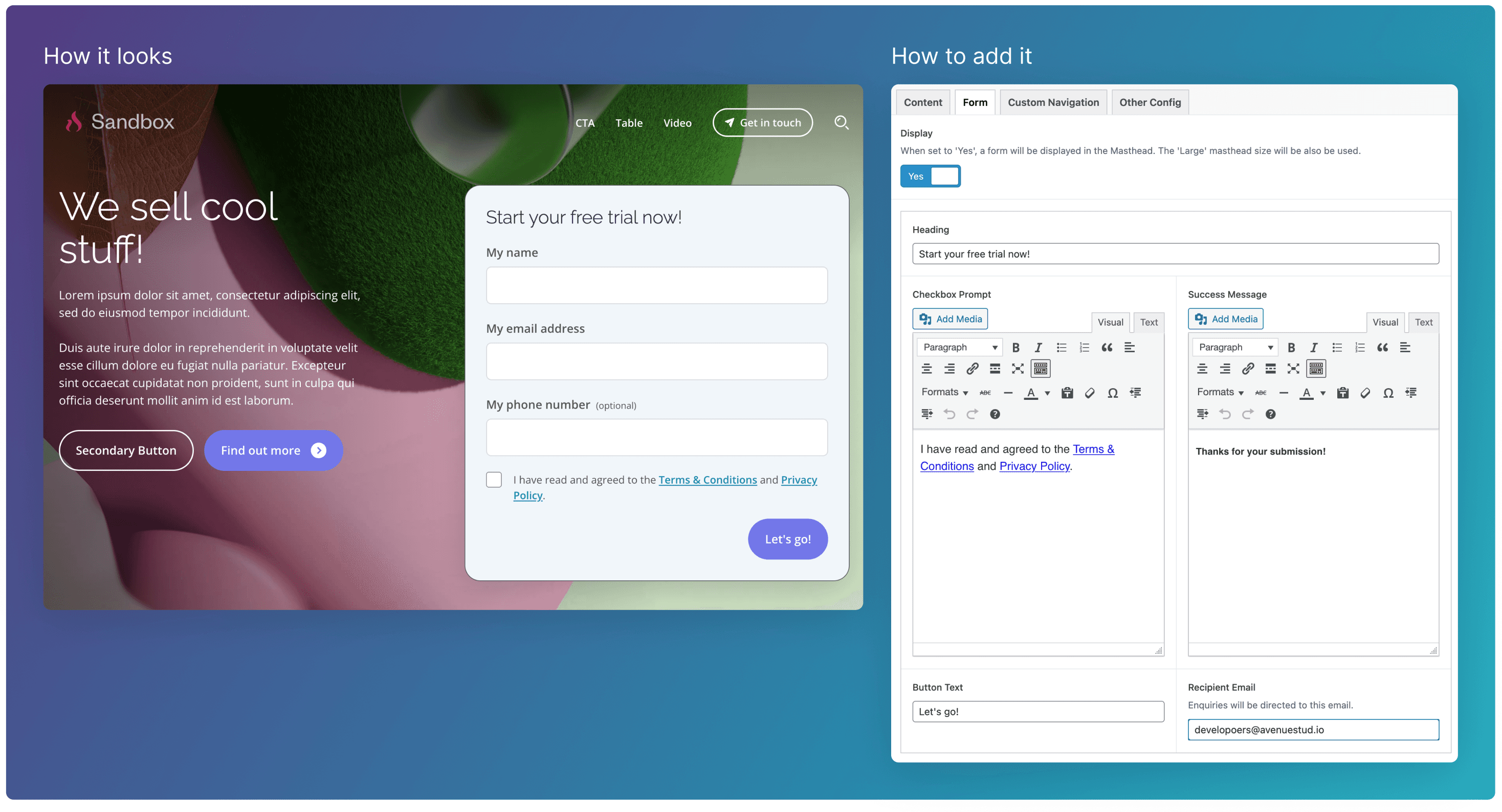
You can have the option to add a form to the Masthead. This is useful for when you would like to capture customer information, like on campaign pages.
To add the form, go to the Form tab, and set Display to “Yes”. You will then see text fields for the Heading, Checkbox Prompt, Success Message, Button Text, and Recipient Email.
Other Configuration
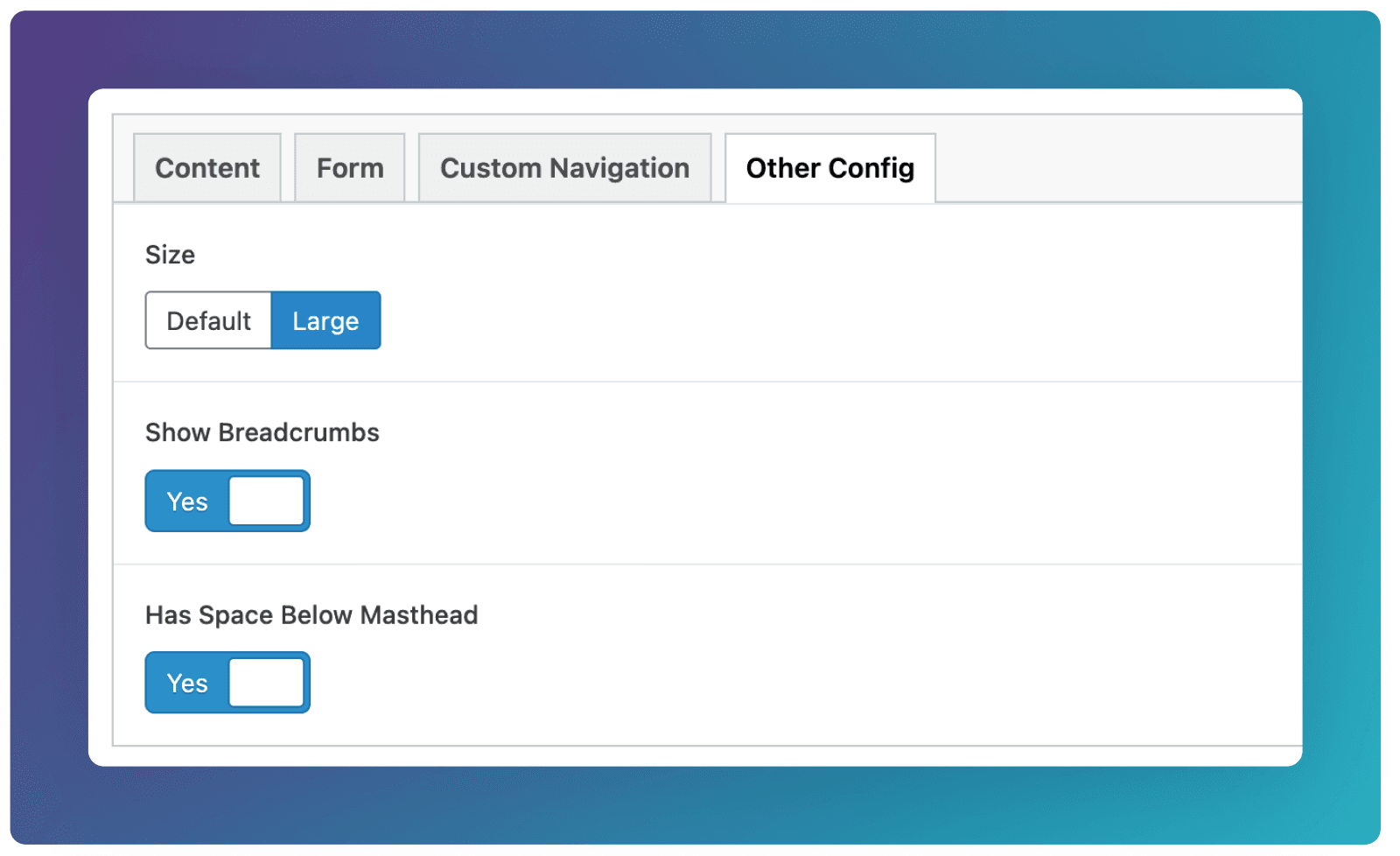
Size
Set the Masthead Size to “Large” for pages that you would like to stand out. i.e Home, and Campaign templates.
Breadcrumbs
You have the option to hide breadcrumbs on the masthead if you’d prefer your page to feel more isolated from the rest of the site.
Space Below
Set this to No if the first block beneath the Masthead has a solid background i.e Signup or Form block. This will produce a cleaner design with no space between the solid image of the masthead, and the block below.